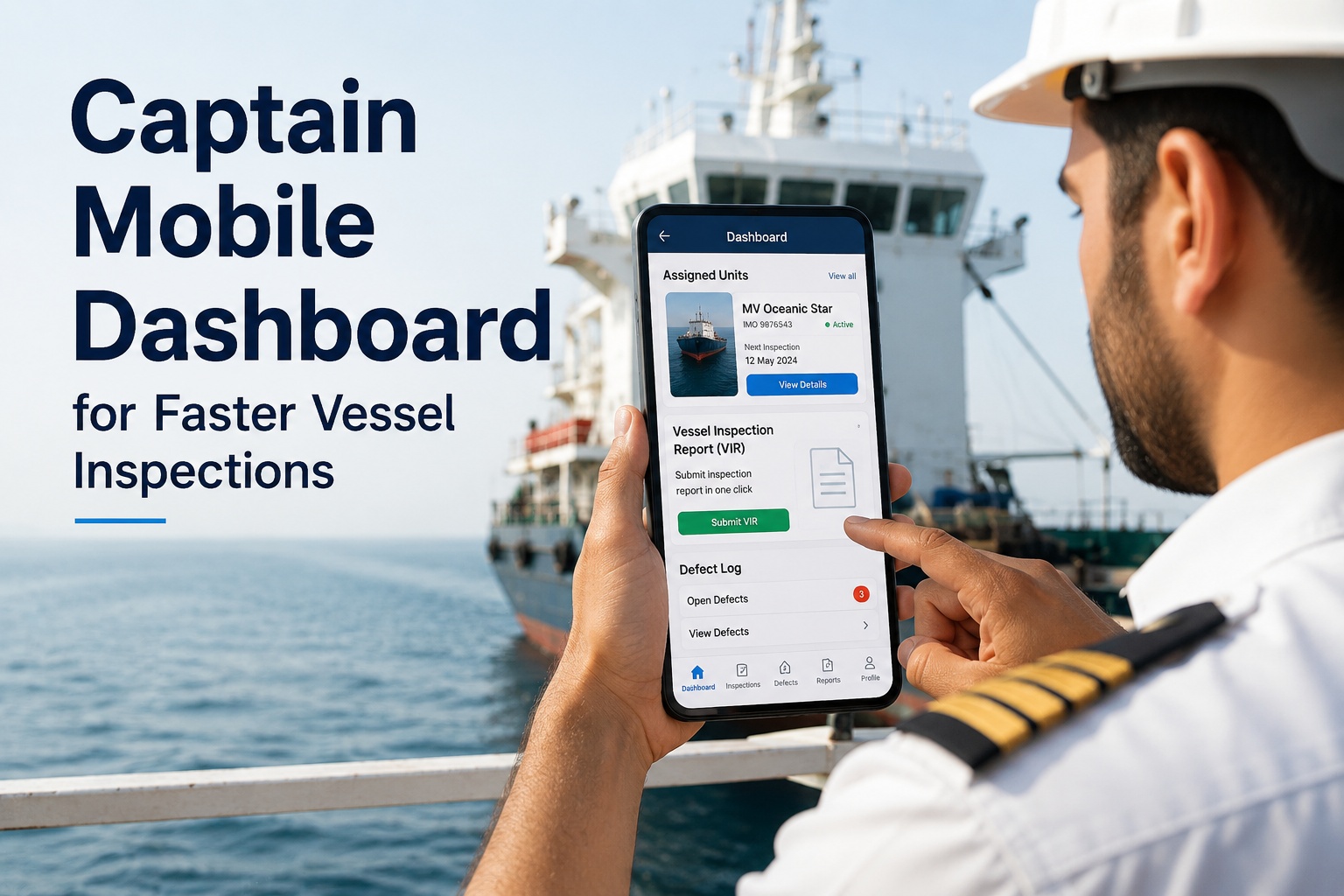
For ship masters and captains, a vessel inspection workflow that ends with a paper folder, a stack of photos on a memory card, and three hours of report-writing at the end of a watch is not a workflow — it is a tax. The captains running 2026's most efficient operations have replaced it with a phone or tablet in the pocket: one tap to start an inspection, voice-to-text for findings, photos attached inline, signature on-screen, and a complete signed PDF Vessel Inspection Report submitted to shore the moment the vessel reaches port — or, with offline-first architecture, queued for sync the moment connectivity returns. This is not a fleet manager's dashboard with the captain bolted on; it is a master's dashboard built around the master's actual day. Assigned units visible on login. Defect logging with three taps. PSC-ready evidence one click away. Today's planned inspections sequenced by priority. SIRE 2.0 vetting templates, weekly engineer rounds, pre-departure checklists, and incident reports — all mobile, all offline-capable, all syncing automatically when the satcom comes alive at the next port. Start a free trial of Marine Inspection to put the captain's daily inspection workflow on a phone where it belongs.
For Masters & Captains
From Wheelhouse to Shore in 60 Seconds. Even at Sea.
A captain dashboard built around the master's actual day. One-tap inspection start. Photo + voice attachments inline. Signed PDF Vessel Inspection Report. Submit instantly when in range — or queue offline and sync when connectivity returns.
Pre-Departure Checklist
Due 0600 LT
START
Engine Room Round
Weekly - C/E
62%
Lifeboat Drill Record
Submit to shore
DONE
SIRE 2.0 Vetting Prep
Singapore arr. 14:00
START
The Captain's Reality — Why Paper-Based Inspection Workflow Is a Tax
Walk a vessel with the master at the end of a transit and the picture is universal. A clipboard. A roll of pre-printed inspection forms. A digital camera with photos that need transferring. A notebook of voice memos. Three hours of evening watch typing it all into Word. A USB drive that gets handed to the agent at the next port. A scanner at the office. A folder somewhere. By the time the report reaches the shore management team, the inspection findings are 7-10 days old — and any defects discovered are 7-10 days closer to becoming bigger problems. Modern captain dashboards eliminate every step of this transcription chain. Book a Marine Inspection demo to see what one captain on a phone looks like compared to the paper alternative.
PAIN
Transcribing handwritten notes after watch
Captain's evening typing. Two to three hours per inspection cycle. Errors, illegibility, omissions. Time stolen from rest hours.
FIX
Voice-to-text + inline photo capture
Inspection captured live in the engine room or on deck. Voice notes auto-transcribed. Photos timestamped and attached to specific items. Report writes itself.
PAIN
USB drive at port, scanner at shore office
7-10 day delay before shore sees findings. Defects age. Action items lost in the gap. Charterers ask for evidence the team cannot produce in real time.
FIX
Auto-sync the moment connectivity returns
Inspection finished offline. App queues. Satcom comes alive at port. Reports sync to shore in seconds. Defects on the superintendent's screen before the gangway is rigged.
PAIN
Pre-port scramble for PSC evidence
Surveyor coming aboard in 4 hours. Master pulls binders. Searches email folders. Photocopies certificates. Hours of preparation, never quite ready.
FIX
PSC evidence pack one tap away
Captain taps "PSC Pack". App generates: certificate validity, recent inspection log, drill records, deficiency closure history, photos. Ready before the pilot ladder is down.
One-Tap Mobile Workflow — The Five-Step Captain Loop
Best-practice captain dashboard apps reduce the inspection lifecycle to five taps. Each tap takes seconds. The whole loop — from realizing an inspection is due to having a signed PDF queued for shore — runs in 8-12 minutes for a routine round, versus 2-3 hours for the paper equivalent.
1
Open & See Today's List
Captain opens the app. Today's assigned inspections sequenced by priority. Pre-departure checks at the top, weekly rounds underneath, ad-hoc as needed. No menu hunting.
2
Tap to Start
Single tap opens the right checklist for this vessel and this inspection type. Boiler round, lifeboat drill, electrical, SIRE 2.0 vetting prep — pre-loaded templates ready.
3
Capture in the Field
Walk the vessel. Tick items as good. Tap defects with photo, voice note, severity. Auto-timestamped, auto-geolocated where allowed. Phone in pocket or rugged tablet — both work.
4
Sign & Submit
Master's signature on-screen. Optional countersign by chief engineer or chief mate. Signed PDF generated automatically with all photos, voice notes, and metadata included.
5
Sync to Shore
Online: report at shore office in seconds. Offline: queued for sync. Defects route to maintenance system, work orders generated automatically. Captain moves on.
The Six Widgets Every Captain Dashboard Must Have
A fleet manager's dashboard shows fleet-wide cost and compliance. A captain's dashboard shows what the captain needs to act on TODAY. The widgets below appear on every well-designed captain dashboard — and absent from most legacy systems.
The Inspection Cycle a Captain Actually Runs
"Inspection" is not one thing. The captain's calendar of routine checks runs daily, weekly, monthly, voyage-cycle, plus event-triggered. Each has its own template, its own typical findings, and its own submission destination. A captain dashboard that handles all of them on the same phone replaces five different paper systems.
DAILY
Pre-Departure / Pre-Arrival
Bridge equipment check, machinery readiness, mooring arrangements, navigation aids, GMDSS test, master's standing orders review, pilot card preparation.
DAILY
Bridge & Deck Round
Master's daily walk-through. Lookout, helmsman, watch arrangements, weather observations, cargo securing check, deck condition, lifesaving equipment visual.
WEEKLY
Engine Room Round
Joint with chief engineer. Main engine, auxiliaries, oil levels, leaks, safety equipment, escape routes, machinery alarms, fire suppression. Photo-evidenced findings.
WEEKLY
SOLAS Drill
Fire drill, abandon ship, MOB, security drill — rotating per SOLAS schedule. Crew attendance, drill log, evaluation, deficiency capture, submission to shore SMS.
MONTHLY
Chief Engineer's Monthly
Comprehensive engine room and machinery inspection — boilers, generators, purifiers, fuel system, HVAC, refrigeration, lubricating oils. Submit to technical superintendent.
MONTHLY
Master's Review
SMS effectiveness review, near-miss summary, training compliance, certificate status, drill compliance, voyage performance. Goes to DPA.
PRE-PORT
PSC Readiness Check
Pre-arrival inspection per port state targeting profile. Certificate validity, last PSC findings closure, recent deficiency status, ISM/ISPS evidence pack ready.
PRE-VET
SIRE 2.0 Vetting Prep
For tankers entering OCIMF inspection ports. SIRE 2.0 question-by-question prep, evidence collation, master's familiarization with the questionnaire, gap closure.
How the Captain Mobile App Compares to Paper and Generic Tools
For captains evaluating whether to push for change, the comparison below summarizes the practical differences. Scroll horizontally on mobile to see the full feature-by-feature comparison.
| Feature |
Paper / Office Word Docs |
Generic Inspection App |
Marine Inspection Captain App |
| Time per routine inspection |
2-3 hours including transcription |
30-45 min — inspection + cleanup |
8-12 min — captured live, no transcription |
| Vessel-type templates pre-loaded |
None — captain builds form |
Generic checklists, manually adapted |
Tanker, RoRo, OSV, research, workboat templates |
| SIRE 2.0 vetting templates |
Manual — captain prepares from OCIMF doc |
Not specifically supported |
Pre-loaded SIRE 2.0 question library |
| PSC readiness pack |
Manual binder assembly, hours pre-arrival |
Custom report build per inspection |
One-tap evidence pack with all certificates |
| Photo + voice note capture |
Separate camera, separate notebook |
Inline but not always linked to items |
Per-item photo & voice, auto-timestamp |
| Master's signature |
Pen on paper, then scan |
Touchscreen signature, basic |
Multi-level signature with verification |
| Offline capability at sea |
Always works, sync requires port |
Often online-only or partial |
Full offline, auto-sync on connectivity |
| Defect to maintenance work order |
Manual — handed to chief engineer |
Manual entry into separate CMMS |
Automatic — defect routes to CMMS |
| Submission to shore |
USB / email at next port |
Emailed PDF when online |
Real-time sync to shore management |
| Searchable history |
Filing cabinet on next ship |
Local app database only |
Cloud-searchable across vessel lifecycle |
| Charterer audit evidence |
Days of paper assembly |
Manual report build per audit |
One-click audit pack in expected format |
| Class society PMS integration |
Separate paper system |
Generally no integration |
Type-approved with major class societies |
| Captain's evening time saved |
0 hours (the baseline) |
1-2 hours per cycle |
2-3 hours per cycle, every day |
Stop Spending Three Evening Hours Typing What Happened on Watch
Marine Inspection captures the inspection live — voice, photos, signatures, one-tap submission. Captains who switch report 2-3 hours saved per inspection cycle. Book a demo on a phone, see what the master's day actually looks like in 2026.
At Sea, Offline, Ready When It Matters Most
The toughest test of any captain dashboard is what happens when the satcom drops and the vessel is mid-Pacific. The right app is offline-first, not online-with-offline-mode. Inspections are captured, signed, and queued. Reports generate locally. The whole loop continues without interruption — and the moment connectivity returns, sync happens automatically without crew intervention.
FULL
In Port / Coastal Range
Real-time sync to shore. Inspections submit instantly. Shore superintendent sees defect notifications within seconds of capture. Best-case dashboard experience.
PARTIAL
Coastal With Limited Bandwidth
App optimizes data sent. Critical alerts and PDF submissions prioritized. Photo and video uploads queue for next high-bandwidth window. Captain unaware of the optimization.
SAT
Open Ocean Satcom
Bandwidth-conscious sync. Small-payload metadata syncs in real-time; photos and PDFs batch overnight at scheduled windows. Voice transcripts compress.
NONE
Offline / Polar / Remote Anchorage
Full app functionality continues. Inspections captured, signed, PDF-generated locally. All work queues with conflict-resolution metadata. Auto-sync the moment satcom returns — no captain action required.
From Captain Capture to Shore Action — The Complete Pipeline
The captain dashboard is one end of a longer pipeline. A defect logged by the master at 0300 in the engine room must reach the chief engineer's work-order list, the technical superintendent's vessel health view, the procurement team's spare parts queue, and the DPA's deficiency tracker — without manual re-entry. The right captain app is the front-end of an integrated chain.
01
Captain Captures
Master logs defect in mobile app: location, severity, photo, voice note describing condition. Linked to specific equipment in vessel asset register.
02
App Routes & Notifies
Critical-severity defects trigger immediate shore notification via push or email. Routine defects queue for next sync. Photo and voice attached for full context.
03
Auto-Generate Work Order
Defect creates planned-maintenance work order in CMMS. Spare parts checked. Technician assignment suggested. No manual data entry required.
04
Shore Action & Closure
Superintendent approves work, parts requisitioned, technician assigned. On completion, work-order closure auto-updates the original defect status. Loop closed.
What Captains Actually Say After Switching
The strongest evidence for a captain dashboard comes from masters who have made the switch. The themes that recur — across tanker masters, OSV captains, RoRo masters, fishing skippers, and pilot boat operators — are remarkably consistent.
The biggest change is the evening watch. I used to spend 2-3 hours typing up what happened during the day. Now the inspection is done as I walk it. I get back to the bunk on time.
— Recurring captain feedback theme: time recovery
Before, I had a folder, a USB, and three different forms. Now I have my phone. PSC arrives, I tap one button, the inspector has everything they need to see.
— Recurring captain feedback theme: PSC readiness
The shore office sees the defect the same hour I find it. Spare parts are on the way before I even brief the chief engineer. That changes everything.
— Recurring captain feedback theme: shore-side speed
SIRE 2.0 used to mean two days of preparation. Now I run the prep checklist on the phone for the week before arrival, and I show up ready.
— Recurring captain feedback theme: vetting confidence
Install on Tuesday. Captain on the App by Wednesday.
Unlike enterprise CMMS rollouts that take 8-12 weeks, captain mobile apps deploy in days. No back-office consulting engagement. No 6-month enterprise integration. The captain is using the app the day after install — productive workflow within the first inspection.
Day 1
Account Setup & App Install
Operator creates fleet account, vessels added, captain user accounts created. App installed on captain's phone or rugged tablet — iOS, Android, or both.
Day 2
Vessel Configuration & Templates
Vessel particulars entered, asset register imported or built, inspection templates pre-loaded for vessel type. SIRE 2.0, ISM, ISPS templates active.
Day 3
First Live Inspection
Captain runs first real inspection on the app — a routine pre-departure or weekly engine round. Live submission to shore. Confidence built.
Wk 2
Paper Retired & Routine Established
Captain has run 3-5 inspection cycles. Paper retired (with retention records). Routine workflow established. Hours per evening recovered.
Why Marine Inspection — and How To Be the Captain on the App by Next Week
Marine Inspection is built captain-first: mobile-native, offline-first, designed by understanding the master's actual day rather than retrofitting a desktop tool to a phone. Type-approved by class societies. SIRE 2.0 templates pre-loaded. PSC evidence packs one-tap. Defect-to-work-order pipeline integrated. Cloud-based for shore visibility, local-first for at-sea operation. Sign up for a free trial or book a live demo on a phone to see exactly how it works.
01
Built Captain-First, Not Adapted From Desktop
Mobile-native architecture. Phone or rugged tablet. One-tap workflows. Voice-to-text. Photo capture inline. The dashboard a captain actually uses, not a fleet manager's view shrunk for a phone.
02
Offline-First — Built For Open Ocean
Full app functionality without internet. Inspections captured, signed, PDF-generated locally. Sync the moment satcom returns — automatic, no captain action.
03
Pre-Loaded SIRE 2.0, PSC, ISM, ISPS Templates
Tanker SIRE 2.0 vetting prep, port state control readiness packs, ISM internal audit, ISPS security records — all templates ready out of the box. No template-building required.
04
Defect-to-Work-Order in One Pipeline
Defects captured by master automatically generate maintenance work orders in CMMS. Chief engineer's job list updates in real time. Spare parts requisitions trigger. Loop closed without manual entry.
05
Class Society Type Approval
Multi-class type approval (DNV, BV, ABS, LR). Suitable as part of class-approved Planned Maintenance Survey (PMS) systems. Audit-ready evidence chain.
06
Day-3 Productive — Not Week-12
Captain running real inspections within 3 days of fleet setup. No 8-12 week enterprise consulting engagement. Productive workflow within the first inspection cycle.
Be the Captain on the App by Next Week
SIRE 2.0 templates, PSC packs, defect-to-work-order pipeline, offline-first architecture, multi-class type approval, captain-first mobile design — all in one platform built for masters and captains. Book a demo on your phone, or start a free trial today.
Frequently Asked Questions
Does the captain mobile app work fully offline?
Yes — offline-first by design. The app captures inspections, signs them, generates PDFs, and stores everything locally without any internet connection. Captains can run a full week of inspections at sea with no satcom and the app continues working as if connected. The moment connectivity returns — entering port range, satcom restored, or Wi-Fi available — the app automatically syncs all queued inspections, photos, voice notes, and signatures to shore management. The captain takes no action; the sync happens silently in the background. Conflict resolution is built-in for the rare case where the same record was modified offline on different devices.
How long does a routine inspection take on the app vs paper?
Captains report 8-12 minutes for a routine inspection on the mobile app, compared to 2-3 hours when including the paper-form completion plus evening transcription into Word documents. The time savings come from three places: capture happens live during the walk-through (no transcription step), voice-to-text turns spoken findings into text automatically, and photos attach to specific inspection items inline (no separate camera-to-folder workflow). Across a typical month with daily and weekly inspections, captains recover 40-60 hours of evening time previously spent on paperwork.
Are SIRE 2.0 vetting templates pre-loaded?
Yes — SIRE 2.0 question-by-question templates are pre-loaded for tanker masters preparing for OCIMF inspections. The captain runs the prep checklist on the phone in the days leading up to vetting, evidence is collated automatically, gaps are flagged, and the master arrives at the inspection fully prepared. Pre-loaded templates also cover ISM internal audit, ISPS security records, port state control readiness, charterer audit prep, and standard daily/weekly/monthly captain inspections across vessel types (tanker, RoRo, OSV, research, workboat, fishing, container).
How does defect logging work end-to-end?
Captain captures a defect during an inspection: location on the vessel, severity tag (low/medium/high/critical), photo, optional voice note describing the condition, linked to the specific equipment in the vessel asset register. Critical-severity defects trigger immediate shore notification via push or email. The defect automatically generates a maintenance work order in the CMMS — no manual data entry. Spare parts requirements check against inventory; technician assignment is suggested. Once the work is completed and signed off, the original defect status updates automatically. The full pipeline runs without retyping anything.
Does the app support multi-level signature workflows?
Yes. Master's signature is captured on-screen with biometric or PIN authentication. Optional countersign by chief engineer (for engine room inspections), chief mate (for deck operations), or DPA (for SMS-related items). Multi-level signatures are essential for class society approval as part of Planned Maintenance Survey (PMS) systems and for IMO Resolution MEPC.312(74) compliance on electronic record books. All signature events are logged immutably with title, full name, date and time properties.
Will it work on the captain's existing phone or does new hardware help?
Both work. The app runs on iOS and Android phones — most captains use their existing personal or company-issued device. For more rigorous environments (engine room walkthroughs, on-deck inspection in heavy weather, polar operations) some operators choose rugged industrial tablets that handle extreme conditions and have larger screens for senior officers. Both options sync to the same cloud backend, so the captain can switch between phone and tablet mid-inspection if needed.
How fast can the captain be productive on a new app?
Day 3 typical. Day 1: account setup and app install. Day 2: vessel particulars, asset register, inspection templates configured. Day 3: captain runs the first real inspection on the app and submits it to shore. Within 1-2 weeks the captain has run 3-5 cycles, paper is retired (with retention records preserved), and routine workflow is established. This compares to 8-12 weeks for enterprise CMMS rollouts that require back-office consulting engagement and class society approval surveys.
How does Marine Inspection support captain workflows specifically?
Built captain-first: mobile-native architecture, not desktop adapted; offline-first design tested in open-ocean conditions; voice-to-text capture for hands-free logging; photo and voice notes attached per inspection item; multi-level signature workflows; pre-loaded SIRE 2.0, PSC, ISM, ISPS templates; defect-to-work-order automatic pipeline; class society type approval (DNV, BV, ABS, LR); cloud sync for shore management visibility; iOS and Android support; rugged tablet compatibility. The captain dashboard a master actually uses, every watch.