Every vessel runs on paper that arrives as a mess: a bunker delivery note as a photographed slip, a supplier invoice as an emailed PDF, a fuel receipt crumpled in a folder, a class certificate scanned at an odd angle. Somewhere, someone is typing the figures from each of these into the vessel's records by hand — a job that costs real money, takes ten to twenty minutes per document, and goes wrong two to five percent of the time. Multiply that across a fleet and the manual handling of documents becomes one of the quietest, largest drains in the whole operation. An AI document auditor ends it. Drop in a PDF, a fuel receipt, or an invoice, and the AI reads it, classifies what kind of document it is, extracts every field — vendor, date, quantity, amounts, line items — validates the figures against the purchase order and goods receipt, and posts the data straight to the right vessel record. What took twenty minutes takes seconds; what was two-to-five percent error becomes near-perfect field accuracy; and the crew or shore staff who used to type are freed to review the handful of exceptions instead. This page walks through the problem you already know, the four steps the AI runs, what it does to your documents, and why an integrated auditor beats both manual entry and a standalone scanner. To see the document auditor read a real marine document, book a Marine Inspection demo.
AI document auditor
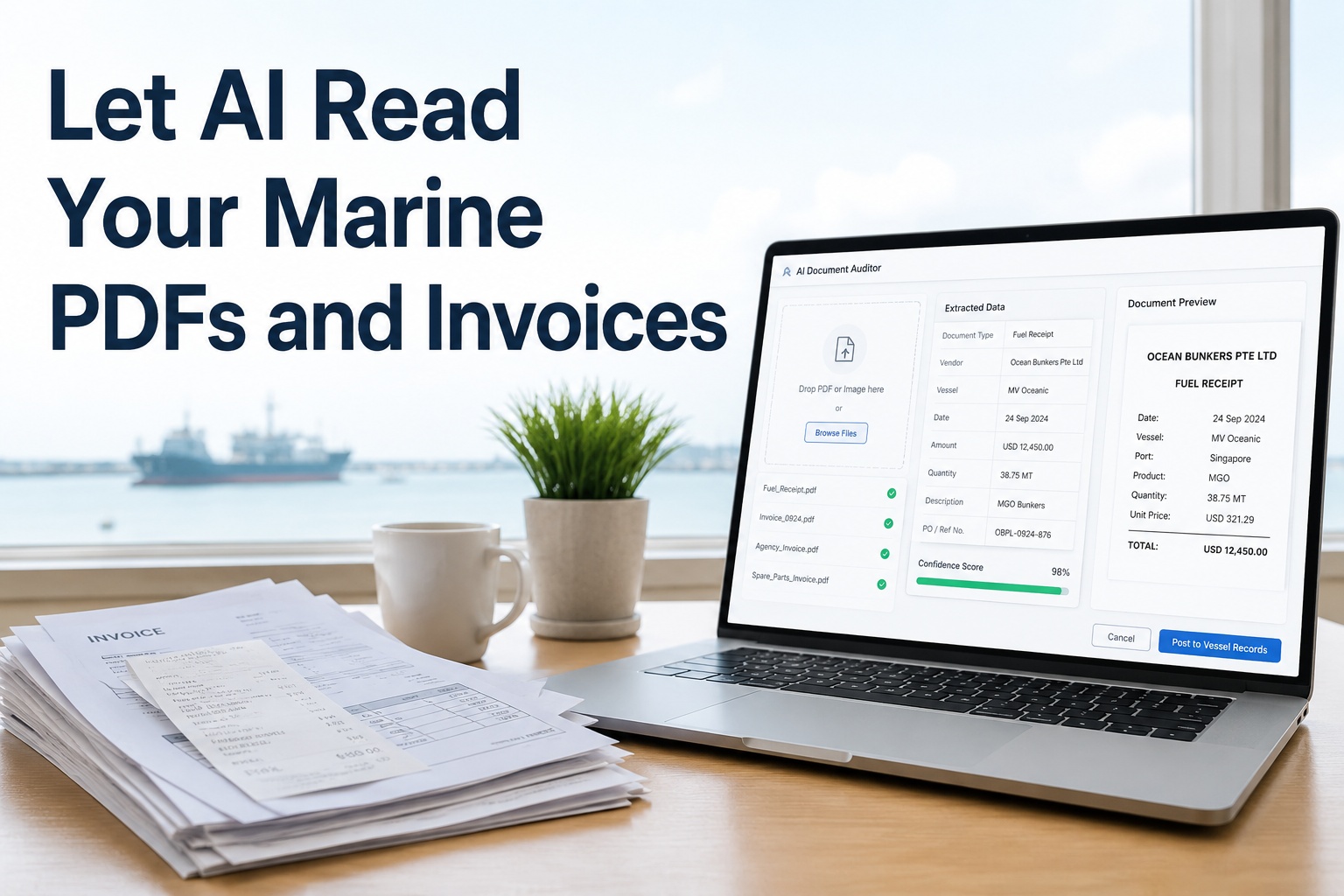
Let AI Read Your Marine PDFs and Invoices
Drop in PDFs, fuel receipts, or invoices and let the AI auditor extract, classify, and post the data straight to your vessel records — validated against the PO and receipt, with no manual entry and no re-typing.
Secondsto read a document, not 10–20 minutes
Near-perfectfield accuracy versus 2–5% manual error
Auto-postedstraight to the right vessel record
Validatedagainst the PO and goods receipt
The Data-Entry Problem You Already Know
Manual document handling is the kind of cost that hides because it is spread across every desk and every port call. No single instance feels expensive, but together they add up to slow closes, payment errors, and hours of skilled time spent transcribing. See the alternative in a demo.
Slow and costly
Manual entry runs ten to twenty minutes a document and a high cost per invoice once labour, errors, and rework are counted — repeated across the fleet.
Error-prone
Hand-keying figures goes wrong two to five percent of the time, and a single transposed quantity or amount can mean an overpayment or a wrong record.
Every format different
Each supplier's invoice and every port's receipt looks different, so a template-based tool breaks the moment a layout changes.
Data arrives late
Documents pile up to be entered at month-end, so cost and consumption data is stale by the time anyone can act on it.
How the AI Auditor Works — Four Steps
The auditor runs a defined pipeline on every document you drop in, turning an unstructured PDF or photo into validated, posted data. Each step does a job a person used to do by hand.
1
Read & classify
Intelligent OCR reads the document — even a photo or a poor scan — and identifies what it is: a bunker note, a fuel receipt, a supplier invoice, a certificate.
2
Extract every field
Vision-language models pull header and line-item data — vendor, date, quantity, unit price, totals, taxes — understanding the table layout, not just the text.
3
Validate & match
Extracted figures are checked against the purchase order and goods receipt, so discrepancies are flagged before anything is posted or paid.
4
Post to the record
Clean, validated data posts straight to the right vessel record and feeds your reports — with low-confidence items routed to a person for a quick review.
The crucial design point is the human-in-the-loop. High-confidence fields pass straight through to the record; only low-confidence extractions or failed validations are routed to a reviewer. That is what makes the auditor trustworthy — it automates the certain and asks for help on the doubtful, rather than guessing.
What It Does With Your Documents
The auditor is built for the documents a vessel actually generates, not generic office paperwork. Each type is read, extracted, and posted to where it belongs. See it read your documents in a demo.
Bunker delivery notes
Quantity, grade, density, and sulphur content extracted and reconciled against the bunker order, feeding fuel records and Annex VI compliance.
Fuel & expense receipts
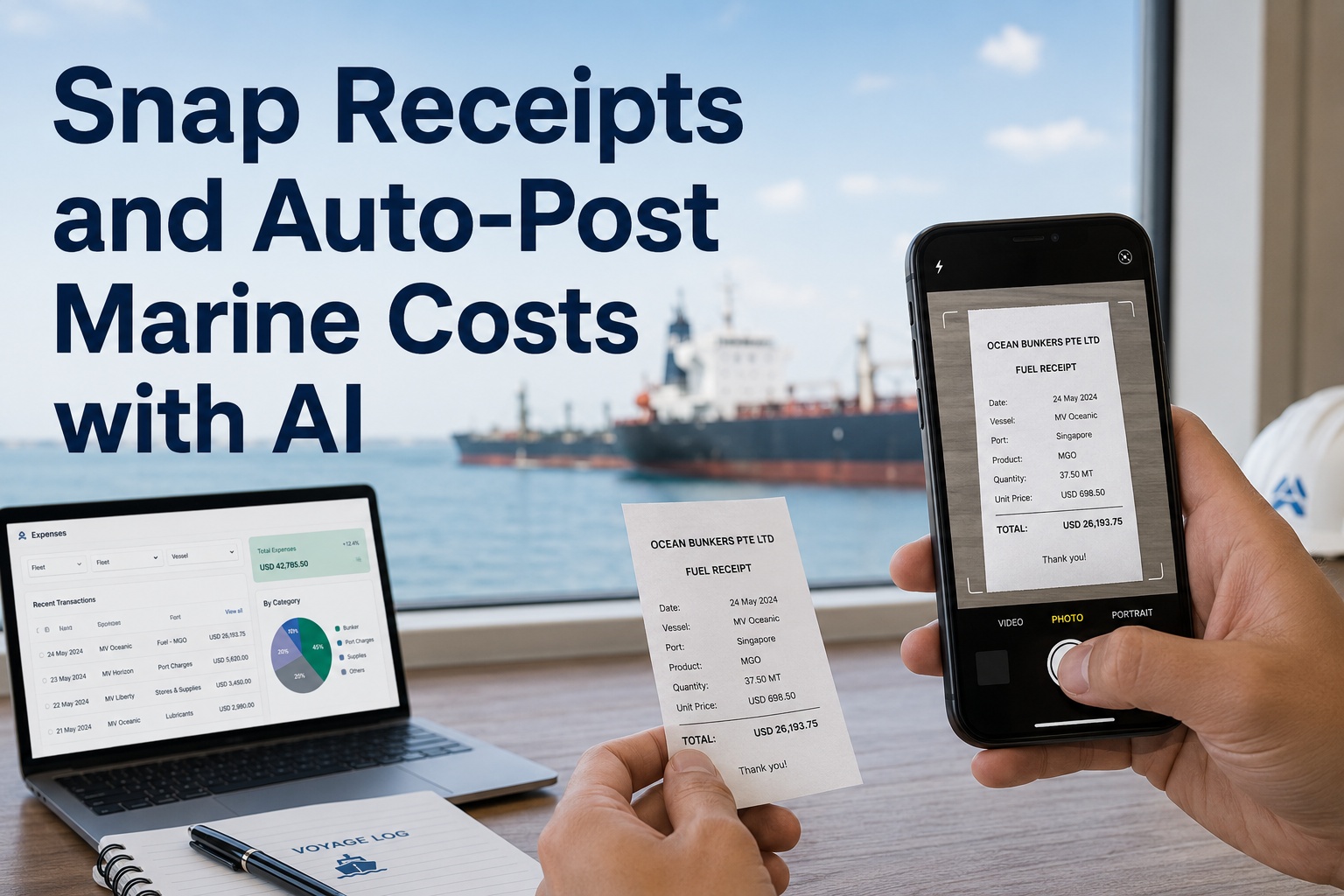
Receipts photographed at the quay are read and posted against the vessel and voyage, ending the folder of slips waiting to be typed up.
Supplier invoices
Header and line-item data captured and matched to the purchase order and goods receipt for clean three-way matching before payment.
Spares & stores documents
Packing lists and delivery notes parsed so received quantities post to inventory without anyone re-keying part numbers.
Certificates & reports
Class and survey certificates and service reports read and filed against the vessel, with key dates captured for tracking.
Any format, any layout
Template-free extraction adapts to new suppliers and layouts automatically, so a changed invoice design does not break the flow.
See it on your fleet
Watch the AI Read a Document and Post It
Drop in a bunker note, a fuel receipt, or a supplier invoice and watch Marine Inspection read it, extract every field, validate it against the order and receipt, and post it to the vessel record in seconds — routing only the doubtful items for a quick human check. Book a 30-minute demo to see it on your documents, or start a free trial and process your first document today.
Validation That Catches the Costly Mistake
Reading a document fast is only half the value. The other half is checking it — because the most expensive errors are not typos, they are paying for fuel that was never delivered or an invoice that does not match the order. The auditor builds that check into the flow.
Invoice vs PO
Extracted invoice figures are matched against the purchase order, so a price or quantity that does not agree is flagged before payment.
Invoice vs receipt
The invoice is checked against what the goods receipt confirms was actually delivered, closing the three-way match automatically.
Bunker note vs order
A bunker delivery note's quantity and grade are reconciled against the bunker order, surfacing short-delivery at the document stage.
Duplicate detection
The same invoice or receipt arriving twice is caught, preventing the double payments that manual handling lets slip through.
Who Gets Their Time Back
The auditor removes a chore that lands on several people across the fleet. Each of them gets back the time manual entry consumed. See your role's view in a demo.
Ship's Officers
Snap a photo of a receipt or bunker note and move on — no end-of-voyage backlog of paperwork to transcribe into the records.
Superintendent
Current cost and consumption data instead of stale month-end figures, because documents are processed the moment they arrive.
Accounts & Purchasing
Three-way matching done automatically, exceptions surfaced for review, and duplicate payments prevented before they happen.
Auditor & Compliance
Every document captured, classified, and filed against the vessel, so the record is complete and retrievable at audit.
Why an Integrated Auditor Beats a Standalone Scanner
A generic OCR tool can read an invoice, but reading is the easy part. The value is in what happens next — and that only works when the auditor is part of the system that holds your orders, receipts, and vessel records.
Reads any document
Intelligent, template-free OCR handles PDFs, scans, and phone photos across every supplier and layout, with no template to maintain.
Understands the layout
Vision-language models read tables and line items by their spatial meaning, so the quantity lands with the right item, not a stray cell.
Validates in context
Because it sits with your POs and receipts, the auditor can three-way match and flag discrepancies — something a standalone scanner cannot do.
Posts without re-entry
Validated data posts straight to the vessel record and reports, removing the manual transfer that undermines a disconnected tool.
Human-in-the-loop
High-confidence fields pass through; low-confidence ones route to a reviewer, so accuracy stays high without slowing everything down.
Keeps the audit trail
The original document is filed with the extracted data and a record of who reviewed it, so the posting is always traceable to its source.
The deeper reason it matters is that a document is only useful once its data is in the system, validated, and connected to the order it relates to. A standalone scanner gets you the text and stops; an integrated auditor takes the document from a photographed slip to a validated, posted, audit-ready record without anyone re-typing a figure. That end-to-end automation — not the OCR itself — is what turns the fleet's paperwork from a cost into a non-event. Book a demo to see it on your fleet.
Frequently Asked Questions
What is an AI document auditor for marine operations?
It is software that reads marine documents — bunker delivery notes, fuel receipts, supplier invoices, certificates — using intelligent OCR and AI, extracts every field, classifies the document, validates the figures against the purchase order and receipt, and posts the data straight to the vessel record. It replaces manual data entry with a fast, validated, near-perfect-accuracy flow.
What documents can it process?
Bunker delivery notes, fuel and expense receipts, supplier invoices, spares and stores packing lists and delivery notes, and class or survey certificates and service reports. Because extraction is template-free, it handles any supplier's format and adapts to new layouts automatically, rather than breaking when an invoice design changes.
How accurate is the extraction?
Modern intelligent document processing achieves very high field-level accuracy — well above manual entry, which goes wrong two to five percent of the time. Header fields like vendor, date, and total are read with high reliability, and line items are extracted by understanding the table layout. Low-confidence fields are routed to a human reviewer rather than guessed.
Does it work on a photo of a receipt?
Yes. Intelligent OCR applies preprocessing such as deskewing and contrast correction to handle phone photos and poor-quality scans, not just clean native PDFs. An officer can photograph a bunker note or receipt at the quay and have it read and posted, with no need to find a scanner or wait until back ashore.
How does it prevent overpayments?
By validating before posting. Extracted invoice figures are matched against the purchase order and the goods receipt for automatic three-way matching, bunker notes are reconciled against the order, and duplicate documents are detected. Discrepancies are flagged for review before payment, catching the short-deliveries and double-billing that manual handling lets through.
Why use an integrated auditor instead of a standalone OCR tool?
A standalone tool reads the document and hands you text, leaving you to transfer it and check it manually. An integrated auditor sits with your orders, receipts, and vessel records, so it can validate, three-way match, post without re-entry, and keep the original on an audit trail. The end-to-end automation, not the OCR alone, is where the time and error savings come from.
Built for marine document automation
Stop Typing Your Paperwork Into the System
Intelligent OCR for any marine document, template-free field and line-item extraction, automatic validation and three-way matching, straight-through posting to vessel records, and a human-in-the-loop for the doubtful items — with the original filed on an audit trail. Marine Inspection turns your paperwork into a non-event. Book a tailored walkthrough or start a free trial today.